

Quick take: Fast, clear alerts can save lives in a crisis.
When trouble hits, you need to know right away. Imagine getting an alert on your phone, an email, and a nearby speaker all at once. These emergency alerts work around the clock and send clear messages in seconds. They run automatically so you can act fast when unexpected danger appears. This system helps cut down on confusion and keeps you informed instantly.
Read on to see how these rapid alerts work and why every second matters.
Emergency Action Notification Systems: Purpose and Core Components
Quick take: These systems alert you fast in an emergency.
These systems send out safety alerts immediately when a crisis happens. They work automatically so you get the message right away. This fast alert can help keep you, others, and property safe when every second matters.
They use many ways to send messages. The system sends alerts through email, SMS, loud sirens, public address announcements, and mobile app notifications. Using many channels means the warning reaches everyone, no matter where you are, whether at school, work, or in a data center.
Core functions and components include:
- Automated response options: The system sends alerts on its own using sensor data or when you press a button.
- Customizable workflows: You can change the messages and steps to match what is happening.
- Always-online, cloud-based platform: The system runs 24/7 so it is ready even during busy times.
- Open architecture: It easily works with your current security tools, including smart sensors and other devices.
Organizations need a fast alert system to deal with unexpected risks, cut downtime, and share important information during a crisis. With its flexible design, the system adapts well to different situations and industries. By automating these alerts, you can reduce confusion in emergency moments and help everyone act quickly and safely.
Triggering an Emergency Action Notification: Step-by-Step Procedures

Quick take: When sensors notice an unusual change, the system double-checks the signal and quickly sends a multi-channel alert to keep everyone safe.
If you see any of these warning signs, call emergency services immediately:
- A sudden drop in air quality or other dangerous changes detected by sensors.
- Multiple sensors showing the same abnormal reading.
Follow these steps to send a rapid alert message:
-
Identify the trigger
- The sensors pick up an abnormal signal.
- The system confirms the event to avoid false alarms.
-
Access the command center
- Log into the secure dashboard.
- The screen shows real-time data and indicates which sensor or alarm went off.
-
Choose communication channels
- Select channels like SMS, email, push notifications, sirens, or public address systems.
- Using several channels ensures the alert reaches everyone quickly.
-
Dispatch the emergency notification
- Send out the alert via the chosen channels.
- The system follows a crisis checklist to deliver the message automatically.
-
Verify delivery
- Check that alerts are received by the intended recipients.
- Look for acknowledgment of the alert and sensor network responses for full assurance.
The system also uses past sensor data and current conditions to predict risks. For example, if several sensors warn of a gas leak, the alert message starts immediately while the command center prepares extra safety measures. Following these steps helps reduce delays and keeps everyone safe in high-pressure situations.
Technical Requirements for Emergency Action Notification Systems
Quick take: Build a cloud system with built-in backups to deliver alerts fast when you need them most.
Triage:
- If the system goes down during a crisis, check your backup networks immediately.
- If backup power fails, fix it without delay.
- Regularly test all components to ensure they work as expected.
A strong alert system relies on a cloud setup that keeps working even if one part fails. In this design, if one network drops, another takes over. The hardware must be built with extra pathways and backup power to guarantee alerts are always sent.
The software should send out messages using multiple methods. It can use text messages, email, app notifications, and public address systems all at once. It also gathers responses from users, which helps the system adjust its action on the fly.
It is important that this tech integrates with current security tools. For example, the system should connect smoothly with devices like smart gun detectors (AI gun detection sensors) and environmental monitors. Ready-made integrations help it fit into busy, safety-driven settings.
The technology must be ready for future upgrades. Smart data tools can analyze incoming sensor data to spot potential issues early. Support for fast 5G networks boosts the system’s speed, while blockchain security helps keep data safe during urgent alerts.
| Component | Requirement |
|---|---|
| Infrastructure | Cloud-based systems with backup networks |
| Communication | Multi-channel and two-way messaging |
| Integration | Easy connection with sensors and security devices |
| Technology Support | 5G, blockchain, and smart data tools |
These requirements ensure your emergency alert system is ready to deliver messages quickly and reliably during any high-pressure situation.
Crafting Effective Emergency Action Notification Messages: Scripts and Guidelines
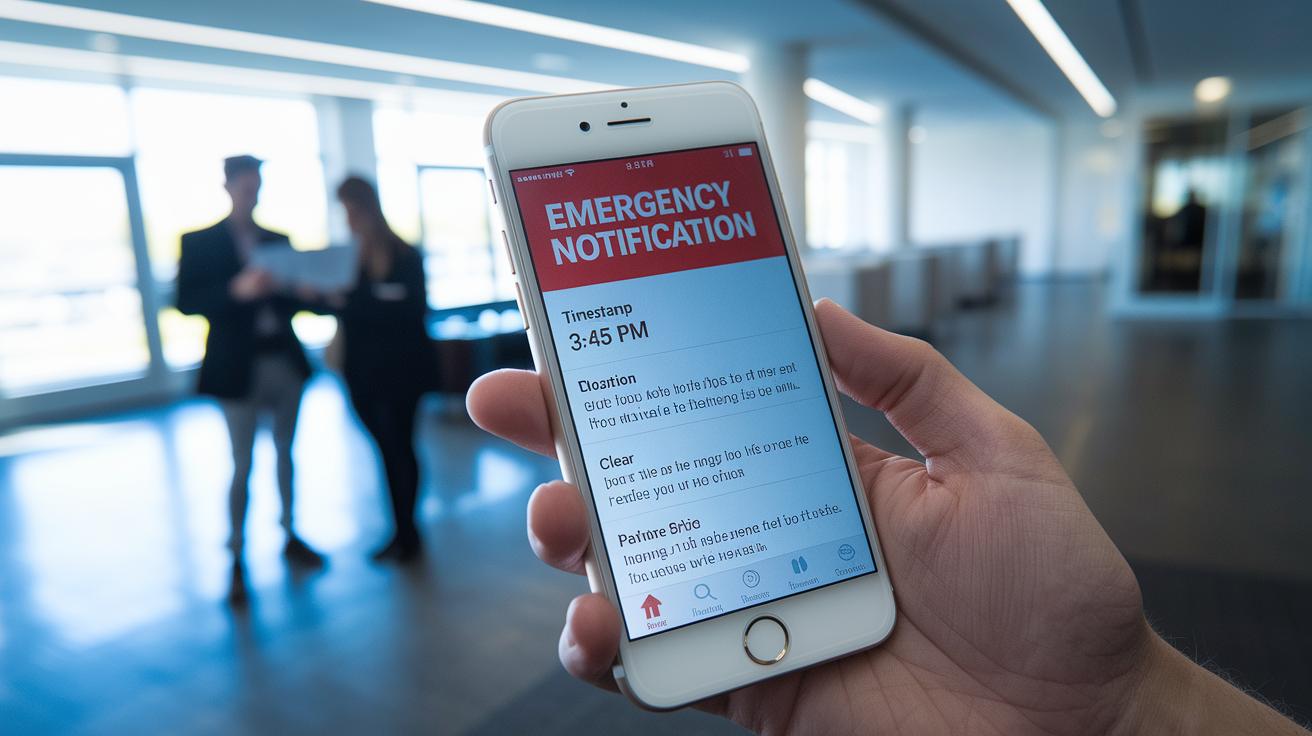
Quick Take: Use a simple, clear template to alert people fast when emergencies happen.
What to Include in Your Message:
- Title: Use a clear title like "Emergency Notification" so everyone knows it’s urgent.
- Time Stamp: Write the exact time (for example, 3:45 PM). This helps recipients see when the alert was sent.
- Event Description: Briefly explain what is happening (for example, a gas leak, fire, or equipment failure).
- Location: Tell exactly where the issue is (such as Main Lobby, Sector B, or Rig 3).
- Clear Instructions: Give easy-to-follow steps like "Evacuate immediately" or "Seek shelter now."
- Call to Action: Urge everyone to act quickly.
Sample Message:
“Emergency Notification | 3:45 PM – A gas leak has been detected in Sector B. All personnel, please evacuate the area immediately using the nearest exit. Confirm your safe status by replying ‘OK’.”
Additional Tips:
- Follow guidelines like the DHS SAFETY Act to ensure your message meets safety standards.
- Allow room for a reply so you can be sure the alert reached everyone.
- Use plain language and short sentences. This makes the message easy to understand during stressful times.
- Regularly review and update your message templates. Adjust them for different types of emergencies to keep your alerts clear and reliable when every second counts.
Emergency Action Notification: Swift Safety Alert
Use a step-by-step plan to send emergency alerts and track everyone's responses. You can reach people fast by sending SMS, email, public address messages, and mobile app notifications all at once. Split your contacts by location or role so that each group gets the exact instructions they need, such as where to evacuate or how to secure equipment.
Allow recipients to reply easily with a text or tap to confirm they received your message. This quick feedback helps you spot any missed responses.
Keep everything organized on a single dashboard that shows message delivery and replies in real time. Use the data from the system to adjust your alerts as the situation changes.
A helpful tip: Set up regular status updates during an emergency. For example, the system can send reminders every 10 minutes to keep everyone updated until the situation improves.
- Use multiple channels to deliver messages quickly
- Group contacts so alerts are tailored to each audience
- Allow quick replies to check safety
- Automate status updates to reflect changing conditions
- Monitor responses in real time on a central dashboard
| Feature | Advanced Strategy |
|---|---|
| Notification Channels | Send SMS, email, public address, and push notifications at the same time |
| Audience Segmentation | Divide contacts by location or role to provide clear instructions |
| Status Updates | Automatically send updates as the situation changes |
Testing and Drills for Emergency Action Notification Readiness

Run drills often to make sure your emergency alert system works when you need it. Test every channel you use, like radio, text messages, app alerts, and public address speakers. These drills confirm that every part of your system performs well under pressure.
Plan each drill with a clear goal and expected results. Use testing tools to set up real-like scenarios, such as quick alerts for a fire or a gas leak. When you run these drills, focus on:
- Making sure the alert is sent out quickly on every channel.
- Checking that the message is sent accurately and fast.
- Confirming that people receive the alert and respond.
After each drill, review the performance data and check delivery logs. This review shows which parts worked well and what still needs fixing. Write down all details to meet regulatory rules and help improve your process.
Steps for an effective drill:
- Inform the necessary teams about the upcoming drill.
- Send out a test alert from the command center.
- Watch how the alert is sent across all channels.
- Gather feedback and performance numbers.
- Update your procedures based on what you learned.
| Task | Description |
|---|---|
| Simulation | Run tests that mimic real emergency conditions |
| Evaluation | Review logs and feedback to improve the system |
Legal and Compliance Considerations for Emergency Action Notification
Your emergency notification system must follow strict legal rules to keep everyone safe. OSHA requires clear emergency procedures and detailed records. Not following these rules can lead to fines from $16,000 to $161,000. Keep all written procedures, drill records, and notification logs ready for any audit.
California also requires a plan for violent incidents. Under Senate Bill 553, if you don’t have a proper plan, fines between $18,000 and $25,000 can be imposed. Update your emergency plan often and keep all communication protocols documented.
Your system must also meet the DHS SAFETY Act standards. This means you need to document every step, regularly update procedures, and test your alert system often. Record every alert and drill so you have evidence during reviews.
Checklist for compliance:
| Action |
|---|
| Record all emergency notification procedures. |
| Keep logs of every drill and test alert. |
| Review and update protocols when regulations change. |
| Train staff on documentation and response measures. |
Following these legal steps protects your organization and ensures a swift, coordinated response during an emergency. Routine audits and up-to-date records confirm your system stands ready and compliant with all required standards.
Final Words
In the action, we explored how emergency action notification systems work, from their core functions and technical needs to clear message scripting and best practices. We walked through step-by-step procedures that help set these systems in motion during an emergency.
By testing drills and ensuring compliance, organizations can better protect people and property. Clear instructions and regular updates make all the difference. This approach helps everyone stay informed and safe while boosting overall readiness for any crisis.
FAQ
Q: What does an Emergency Action Notification script include?
A: The Emergency Action Notification script includes pre-approved message templates that outline a clear header, event details, precise instructions, and a call to action to guide recipients during emergency scenarios.
Q: What defines an Emergency Action Notification System?
A: The Emergency Action Notification System is an automated platform that uses multiple communication channels, integrated sensors, and a command center interface to deliver quick and clear warnings during emergencies.
Q: What was the emergency alert message today, and is it considered a national emergency message?
A: Today’s emergency alert message, often a national emergency message, provides vital, time-sensitive guidance. Check official channels for complete details and any real-time updates if you missed the alert.
Q: What does Emergency Action Termination mean?
A: Emergency Action Termination means that active emergency alerts have been canceled, signaling that the emergency phase has ended and normal operations are resuming.
Q: How does the CBP use Emergency Action Notifications?
A: The CBP (Customs and Border Protection) uses Emergency Action Notifications to quickly communicate safety and operational instructions during border incidents and other urgent situations.
Q: What is the Emergency Action Notification red card?
A: The Emergency Action Notification red card signals a high-priority alert. It serves as an immediate visual reminder for recipients to follow established safety protocols during critical events.
Q: What is the Emergency Alert System (EAS)?
A: The Emergency Alert System (EAS) is a national public warning mechanism that broadcasts alerts and safety instructions via radio, television, and cellular devices during serious emergencies.
Q: What is an Emergency Action Notification?
A: An Emergency Action Notification is an automated alert that quickly informs people about potential threats, delivering clear instructions through various channels to help maintain safety during incidents.
Q: What time is the emergency alert test today?
A: The emergency alert test time is typically set by local authorities. Check your local emergency management or government website for the precise schedule and further test details.
Q: Has there ever been an Emergency Action Notification issued?
A: Yes, Emergency Action Notifications have been issued during various incidents, including severe weather events and security threats, to help protect lives and guide response efforts.
Q: Will there be a national EAS test in 2025?
A: There is no confirmed schedule for a national Emergency Alert System test in 2025. Monitor official announcements from emergency management agencies for any updates on future tests.