
Quick take: Setting up your emergency contact now can help first responders act fast when you need them most.
Have you ever wondered if your emergency contact is ready for those critical moments? When an accident or sudden illness happens, having the right person with clear instructions can make all the difference. A simple setup with legal clarity means first responders get your accurate details without delay. Follow this guide to quickly set up your emergency contact so your key health information is available when it counts.
Understanding Emergency Contact Information
An emergency contact is someone you trust to help when things go wrong. This person is there during medical emergencies, travel problems, or when your phone sends an SOS alert. They step in when you cannot speak for yourself.
Your emergency contact holds important information like your allergies, ongoing health issues, and the medications you take. They notify local help if needed and share only what is necessary with medical staff, family, or employers. It is best to talk with them in advance so they know your health details and your wishes.
In emergencies such as accidents or sudden illness, a well-chosen contact makes a big difference. For example, after a crash, they can quickly tell responders about your medical history. When you travel, they can help with local emergency steps and overcome language barriers. Choosing the right person means you get help fast when you need it most.
Emergency Contact Setup on Smartphones
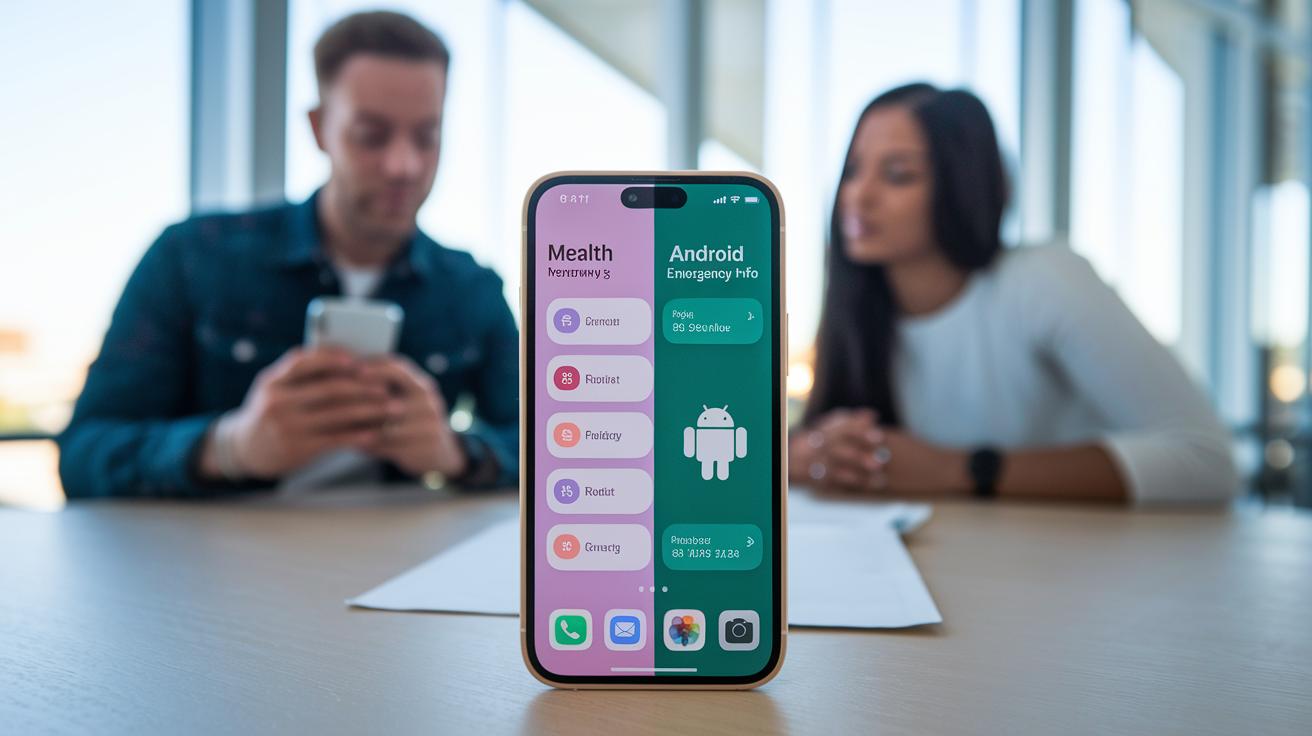
Quick Take: Set up your phone's emergency contacts now so that first responders can access your critical health details if you can't speak.
For iPhone users, do the following:
- Open the Health app.
- Tap the Medical ID tab.
- Tap Edit.
- Add your emergency contact(s) from your Contacts.
- Turn on “Show When Locked.”
For Android users, follow these steps:
- Open the Settings app.
- Scroll down to About Phone.
- Tap Emergency Information.
- Enter your emergency contacts along with key medical details.
- Save your settings and test the lock-screen access.
Test your setup by making a trial SOS call from the lock screen. Ensure your emergency details appear clearly and that first responders will see your ICE (In Case of Emergency) contact. Label contacts clearly, such as ICE: Spouse or ICE: Friend, so responders understand the relationship.
Review and update these settings regularly, especially after changes in your health or personal relationships. Taking a few minutes now can make a big difference when seconds count.
Creating Printable Emergency Contact Lists
Having a printed list of emergency contacts can make a big difference when seconds count. Make sure your list includes key numbers like 911 (for emergencies in the US) or 112 (for Europe). Write down your local police, nearby hospital (with the distance noted), doctor, and poison control (1-800-222-1222 or text POISON to 7979797). Also include ASPCA Animal Poison Control (888-426-4435), your fire department, water or power utilities, a locksmith, and a trusted neighbor. Keeping this list in your car, home, or wallet helps first responders quickly find the information they need.
| Contact Type | Number | Description | Notes |
|---|---|---|---|
| Police | 911 | Immediate law enforcement help | |
| Fire Department | 911 | Fire emergencies | |
| Poison Control | 1-800-222-1222 | Help with toxic exposure | Or text POISON |
| Hospital | [Hospital #] | Nearest facility | Include mileage |
| Primary Care | Legal and Medical Authority of Your Emergency Contact
Your emergency contact has the legal power to make healthcare decisions for you when you cannot speak up. By naming a healthcare proxy or signing a durable power of attorney, you give them permission to share your vital information with your doctors and guide your care during urgent moments. A simple written summary of your medical history is also very useful. It should list your allergies, ongoing health conditions, and treatment preferences to help your contact make informed choices.
If you or your caregiver are unsure about these legal rights, talk with a qualified estate planning attorney. This is especially important if your family situation is complex or if your documents are outdated. Taking these steps now can make sure you get the care you need without delay. Emergency Contact: Quick Setup with Legal ClarityOld emergency contact info can slow help when every second matters. Make sure your phone’s SOS feature is working by testing it every 3 months. Check that the contacts in your digital list are up to date. Update your smartphone settings and printed emergency list regularly. For changes to legal documents, see the Legal and Medical Authority section.
Set a calendar reminder to review these details every 6 months. Emergency Contact Procedures for Travel and Work Environments
When you travel, set up your emergency contacts with key travel providers. Doing this means first responders can quickly reach someone you trust if something goes wrong. Travel Emergency Contact Steps: At work, share your emergency contact information with HR, managers, and safety personnel. This ensures that if an emergency happens, the right people have your details right away. Workplace Emergency Contact Steps: Staying current with these steps can make a big difference when every minute counts. Emergency Contact and SOS DetailsCheck your phone’s guide to add or update your emergency contacts. You can list more than one contact (ICE 1, ICE 2) using the Health app on an iPhone or through the Android Settings. The printed emergency contact list will show these details as well. If your phone accidentally triggers an SOS call, cancel it within 3 seconds to stop the alert. This quick cancel helps keep false alarms from happening. The built-in SOS settings only let you change the message a little. For extra options, look at the detailed SOS section in your phone’s emergency settings. When you travel, consider registering with your local consulate. See the Travel and Work Environments section for steps to coordinate local aid during emergencies. Final WordsIn the action, you learned why an emergency contact is key for medical, travel, and work safety. You explored how to set up contacts on smartphones and create a printed list with essential numbers. The guide explained legal steps to empower your contact and stress-tested best practices so you’re always up-to-date. You now have clear steps to manage emergency contact information. Keep your emergency contact current and test it often, and remember that being prepared brings confidence and safety. FAQHow do I get an emergency contact on my phone?Getting an emergency contact on your phone means adding a trusted person through your device’s settings, like the Health app on an iPhone or Emergency information on Android, to help first responders reach you quickly. What is the meaning of emergency contact?The meaning of an emergency contact is a designated person who can provide important personal and health information during crises, ensuring help arrives quickly and accurately when you need it most. Can anyone be an emergency contact?Yes, anyone you trust and who understands your vital health details can be an emergency contact. It is essential they agree to help and remain accessible during unexpected crises. What do you put in an emergency contact?In your emergency contact, include the person’s full name, relationship, and current phone number. Some setups also allow you to add key medical details that may be needed during emergencies. What is the abbreviation used for emergency contacts?The common abbreviation for an emergency contact is ICE, which stands for In Case of Emergency. This serves as a quick identifier for first responders when accessing your information. How do I set up an emergency contact on an iPhone or Apple device?Setting up an emergency contact on an Apple device involves opening the Health app, accessing Medical ID, and following the prompts to add a contact so that essential details are accessible even when the phone is locked. When should you call 911 as an emergency contact action?You should call 911 immediately when a life-threatening situation or severe injury occurs in the United States, ensuring that emergency services are dispatched to provide urgent care. What is an emergency contact book?An emergency contact book is a printed or handwritten list containing important contact numbers and details of individuals or services for quick reference during emergencies at home, in your car, or on the go. What does the term “emergency contact song” refer to?The term “emergency contact song” usually refers to a title in popular culture rather than a standard safety protocol and is not related to the practical steps for setting up an emergency contact. What does “emergency contact movie” refer to?The phrase “emergency contact movie” likely identifies a movie title and does not provide information or guidelines about emergency contact procedures in real-life emergency management. What does “emergency contact ptv” refer to?The phrase “emergency contact ptv” is unclear and might be a localized or specific term. It is best to consult local protocols or service providers for guidance on its proper usage. Subscribe Today GET EXCLUSIVE FULL ACCESS TO PREMIUM CONTENT SUPPORT NONPROFIT JOURNALISM EXPERT ANALYSIS OF AND EMERGING TRENDS IN CHILD WELFARE AND JUVENILE JUSTICE TOPICAL VIDEO WEBINARS Get unlimited access to our EXCLUSIVE Content and our archive of subscriber stories. Latest article |