


A triage chart works like a traffic light for care. It uses simple color codes and clear labels to show who needs help right away. In an emergency, every second counts. This clear guide helps teams act fast and work together. It keeps things organized so that those with urgent needs get help quickly.
Understanding Triage Charts: Definition and Purpose
A triage chart helps you quickly understand which patients need help first. It uses simple color codes and clear labels to show the urgency of each case.
In busy emergency situations, this chart works like a roadmap for care. It helps nurses and responders know who to see right away by pointing out the most serious conditions with a glance. That makes it easier for everyone to act fast and safely.
Using a triage chart also smooths patient flow and improves team communication. When every team member sees the same clear guide, delays and mix-ups drop. In short, these charts keep emergency care organized so you get the right help at the right time.
Key Components of a Triage Chart
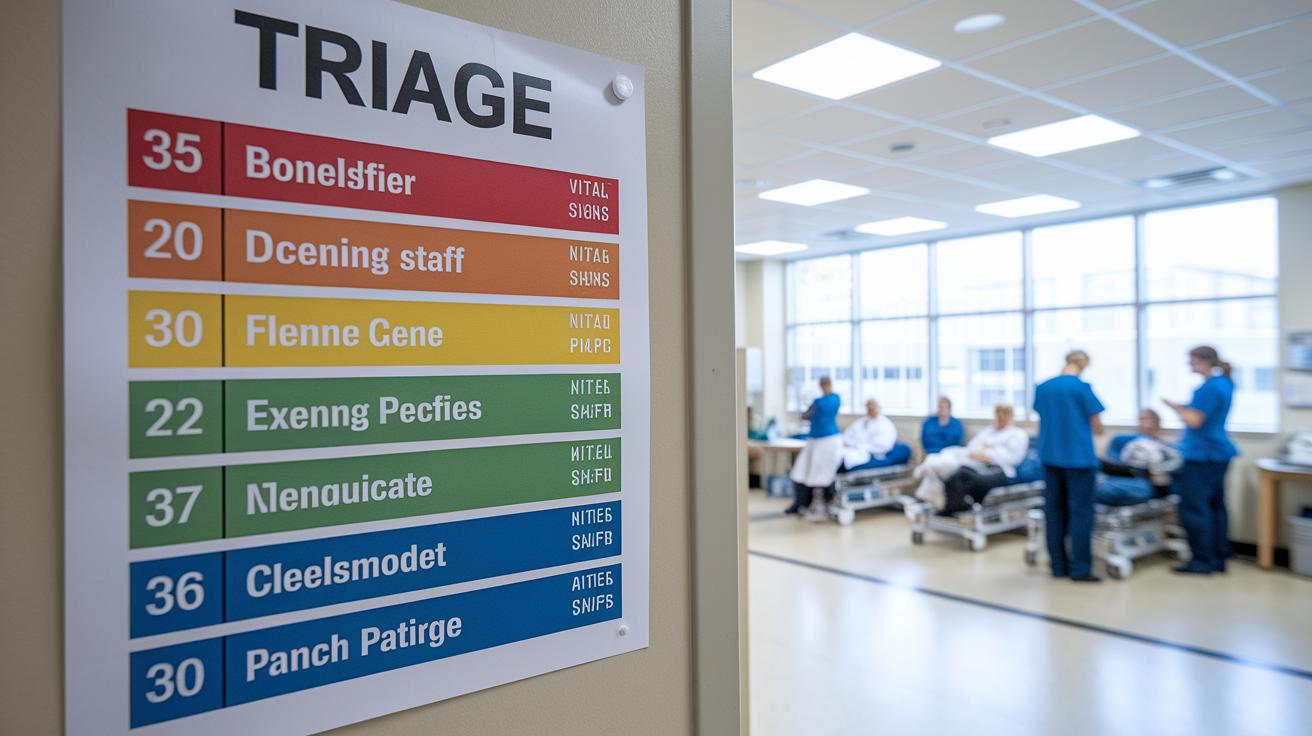
Triage charts help sort patients by how urgent they are. They use simple colors and clear category names so everyone on the care team can spot serious cases fast. Most charts use a five-level emergency scale that rates patients from immediate to non-urgent.
- Color code and matching urgency
- Category name and simple definition
- Clear criteria for each category based on symptoms and vital signs
- A space to record time and vital signs for tracking
Each part of the chart is important. The color code tells you how quickly care is needed. Red means you need help right away, yellow means a short wait is okay, green shows low risk, and black indicates a very serious situation. Clear names and definitions mean that everyone, from first responders to nurses, speaks the same language. Checking vital signs and symptoms against set criteria helps reduce guesswork. Finally, a documentation area means that the time, key vital signs, and category can be recorded for ongoing monitoring. Together, these elements make the triage chart a vital tool for fast and safe decision-making in critical moments.
Creating and Implementing Your Triage Chart
Quick take: Follow these clear steps to quickly check patients, decide who needs urgent help, and update their care.
Step 1: Initial Patient Assessment
First, check each patient’s signs. Look at vital numbers (like temperature and heart rate), ask about symptoms, and review their history. Watch for a high fever (over 102°F), sharp or severe pain, or trouble breathing. These clues tell you who may need immediate care and who can wait a bit.
Step 2: Assign Priority Category
Next, match what you find to your color-coded system.
- Red: Patient needs immediate care.
- Yellow: Patient needs care soon but can wait a short time.
- Green: Patient has milder issues.
This color code helps you rank patients quickly and respond fast.
Step 3: Document and Communicate
Record the time of your check, the signs you observed, and vital numbers in the triage chart. Use tools like flowcharts or phone prompts to alert your team about each patient’s status. Clear notes help everyone know who needs urgent care.
Step 4: Ongoing Reassessment
Patients’ conditions can change quickly. Set a time to check them again and update their status if they get worse or start feeling better. Look out for new signs like a sudden drop in blood pressure or increasing pain. This way, you keep care decisions current and accurate.
Regular training on these steps builds confidence in using the triage chart. Practice and review your process often to make sure everything runs smoothly and your patients get the care they need fast.
Applying Triage Charts: Practical Examples and Scenarios

Triage charts are clear tools that help teams decide who needs care right away. They guide front-desk staff using phone call flowcharts to schedule same-day urgent appointments and help emergency teams sort patients by how serious their injury or trauma is. This way, you can focus on the most urgent cases first and use your resources wisely.
| Scenario | Priority Level | Recommended Action |
|---|---|---|
| Telephone urgent appointment | Yellow (Delayed) | Schedule within 4 hours |
| ED trauma case | Red (Immediate) | Activate rapid response team |
Customizing your triage charts is key. A front-desk team might add extra fields on the telephone form to catch small signs of distress. This helps flag cases that could get worse quickly. On the other hand, emergency department teams may use detailed sections to track time, vital signs (like pulse and blood pressure), and treatment steps. When your charts match real situations in your facility, you ensure every team member knows what to do, making the difference between a delayed response and a life-saving decision.
Advanced Triage Chart Models for Disaster and Mass Casualty
Quick take: In a disaster, a six-step system helps you quickly decide who needs help most.
During big emergencies, responders sometimes use a six-level system to sort patients. This method breaks down care into six groups: minimal, delayed, immediate, expectant, deceased, and evacuate. Each level has clear rules to help teams judge how serious an injury or illness is. For example, the immediate group needs fast help, while the expectant group may not survive without extra resources. This detailed system matters when every second counts and supplies run low.
Disaster response charts also play a key role. They show how patients move through an emergency scene and help teams share limited resources. These flowcharts make it easier to manage care by laying out clear steps. By combining the six-level system with visual diagrams, responders can quickly balance saving lives with the limits of available resources.
Digital Tools and Templates for Triage Chart Management

Quick take: Digital tools help you sort patients quickly and safely during emergencies.
Many organizations offer free downloads like triage chart PDFs, telephone triage guides, and sample policy documents. These files show clear steps to follow during a crisis so frontline staff can stick to proven rules without delay.
Some digital platforms even provide interactive guides that change patient categories when you enter vital signs. This helps speed up decisions when every second matters.
Digital tools bring real benefits:
• Get real-time updates with mobile access so your team always sees the latest patient info.
• Simplify paperwork and cut down on errors.
• Improve communication between staff.
• Practice triage protocols with built-in instructions and practice scenarios in a risk-free setting.
These resources keep patient sorting systematic, safe, and quick. When every minute counts, using digital tools can make a big difference.
Final Words
In action, this article defined a triage chart and broke down its parts and benefits. We explained how to set one up, from patient assessment to thorough documentation. Real examples showed how charts guide priority decisions in urgent settings and even in disaster events. Using a well-structured triage chart can help you spot red flags quickly and direct care effectively. Stay focused, follow clear steps, and remember that safe, rapid action can make all the difference.
FAQ
What is a triage chart PDF?
A triage chart PDF is a downloadable document that shows a color-coded system for quickly classifying patient urgency. It serves as a practical guide for assessing and prioritizing treatment in emergencies.
What is an example of a triage chart?
An example of a triage chart includes a color-coded system—red for immediate, yellow for delayed, green for minimal, and black for expectant care. This framework speeds up patient evaluation in crisis settings.
What is an emergency triage chart?
An emergency triage chart is designed for urgent settings to rapidly sort patients based on the severity of their conditions using clear color codes and predetermined urgency levels.
What are the 5 levels of triage?
The 5 levels of triage range from level 1 (immediate) to level 5 (non-urgent). This system helps allocate resources efficiently by matching patient conditions with corresponding care priorities.
What is a START triage chart?
A START triage chart uses the Simple Triage and Rapid Treatment method to quickly assess patients. It assigns priority levels based on key signs, helping guide immediate decisions in mass-casualty incidents.
What are semi-urgent triage examples?
Semi-urgent triage examples include cases where patients need prompt attention but can safely wait a limited time for evaluation, ensuring their conditions do not worsen while resources are managed.
What are common triage methods?
Common triage methods include color-coded systems, five-level scales, and the START approach. These methods help healthcare providers efficiently assess patient urgency and manage care priorities in emergency situations.
What are the 4 colors of triage?
The 4 colors of triage typically include red (immediate), yellow (delayed), green (minimal), and black (expectant). Each color quickly conveys the urgency of a patient’s condition for rapid treatment.